
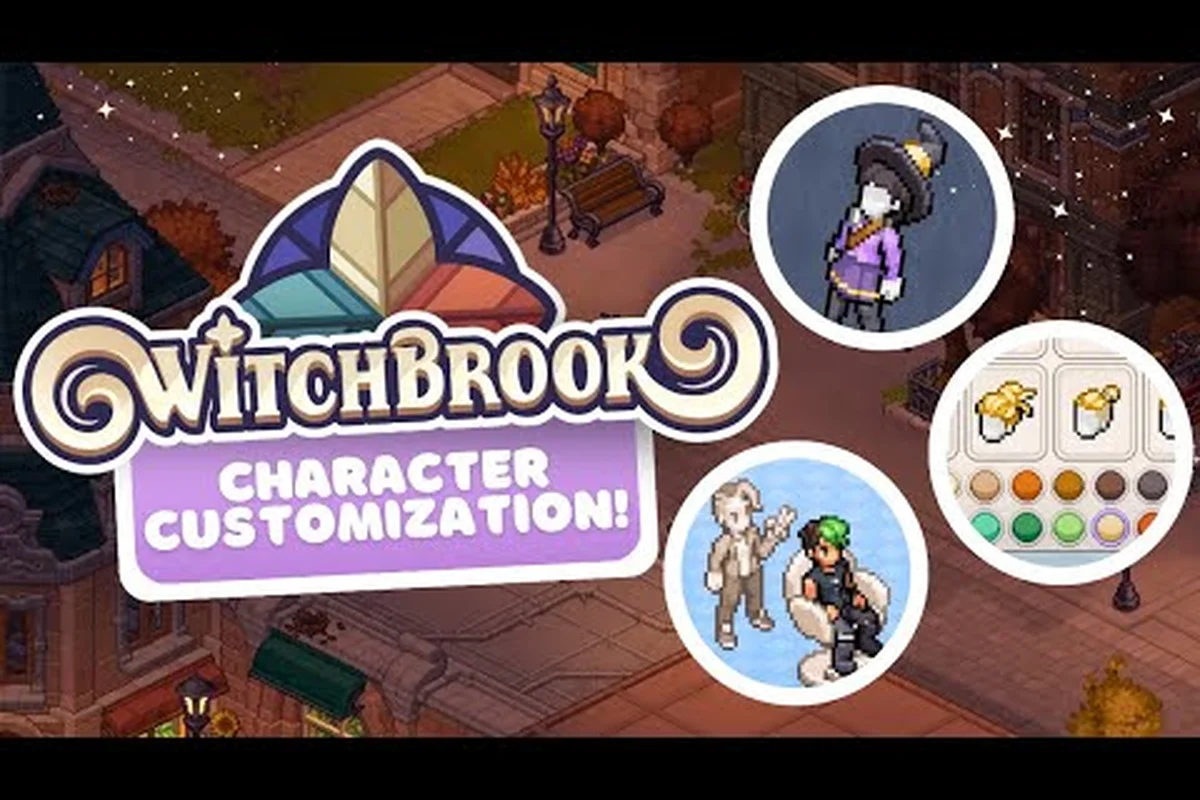
Witchbrook character customization begins the moment you sit down in front of the mirror in your Mossport dormitory, and the choices you make there ripple through every conversation, festival, and semester that follows. The creator is built around a layered clothing system that projects textures onto tiny pixel sprites, which means the combinations available go well beyond what a typical life-sim lets you tweak. Before you pick your first outfit, it helps to understand how the systems slot together so you spend less time re-rolling and more time crafting a look that feels right.
The Witchbrook Character Creator at a Glance
The character creation screen opens with a blank silhouette and four primary sliders: Body Shape, Skin Tone, Voice Pitch, and Name. Each slider feeds into the deeper systems you'll use later, so the order you tweak them actually matters for how your witch will read in motion. Skipping straight to hair color before locking the body shape can lock you into a silhouette that doesn't flatter the hairstyle you had in mind.
The creator remembers your choices for the entire save file, but you can revisit any of these core attributes from your dormitory mirror at any point during the school year. That re-entry point is important because the creator doesn't expose every customization option on day one. Some hairstyles, accessories, and seasonal outfit pieces unlock only after you've attended certain college classes, chatted with specific covenmates, or progressed far enough through the calendar.
According to the official Express Yourself dev blog, the team built the system around five core clothing masks that combine into more than 60 unique clothing items before color variations are even counted. The masks are dress top, shirt, trousers, long skirt, and short skirt. Because the masks are designed for every animation frame and rotation, you can mix them in unexpected ways without breaking the sprite.
| Creator Slider | Visible Effect | Where It Shows Up First |
|---|---|---|
| Body Shape | Silhouette, idle stance | First dormitory cutscene |
| Skin Tone | Hands, face, exposed skin | Mirror reflection, dorm mirror |
| Voice Pitch | Dialogue tone, spell incantations | First alchemy class |
| Name | Above-head text, yearbook, mail | Registration cutscene |
| Pronouns | NPCs refer to player, romance dialogue | Covenmate introductions |
The creator also stores a Base Color Layer in RGB, which is what gives the system its near-unlimited color customization. When you change a shirt color, you're not switching between pre-made swatches — you're editing a live color value, so hex-perfect matching between pieces is genuinely possible.
How Witchbrook Character Customization Layers Work
The layered system is the spine of Witchbrook character customization, and understanding it early saves you from outfit choices that clip or look wrong in motion. Players can wear 11 layers at once — and that count excludes hair, fringes, and facial hair, which sit on their own dedicated layers above the clothing stack. The depth ordering matters because the game renders each layer in a fixed sequence, and a poorly planned outfit can have a jacket sleeve drawing on top of a glove that was meant to peek out.
The Five Core Clothing Masks
The five masks each cover a different region of the body, and they're designed to coexist in any combination. The system doesn't prevent you from wearing a long skirt over trousers, even though the visual result is layered rather than hidden. This is intentional — the developers wanted players to mix silhouettes freely without arbitrary hard-locks.
| Mask | Region | Compatible With |
|---|---|---|
| Dress Top | Torso, optional sleeves | Trousers, long skirt, short skirt |
| Shirt | Torso only | Trousers, long skirt, short skirt |
| Trousers | Legs | Dress top, shirt |
| Long Skirt | Legs, ground flare | Dress top, shirt |
| Short Skirt | Upper legs, mid-thigh | Dress top, shirt |
The Clothes Mapping System projects clothing textures onto the garment-shaped masks at runtime, which is why new content updates can add items without re-authoring every animation frame. The masks themselves are under 20 pixels wide in the base sprite resolution, but the projection is sharp enough that small details like buttons, buckles, and stitching read clearly when the camera zooms in during close-up cutscenes.
The 11 Clothing Layers and How They Stack
Layers stack from the skin outward, so anything closer to the body sits beneath outerwear. The 11 layers don't all need to be filled — empty layers are skipped, which is how the system keeps the look clean when you're wearing a simple summer outfit. According to the dev blog, the team deliberately capped the layer count to prevent visual chaos, and 11 was the sweet spot for readability.
| Layer | Default Content | Example Items |
|---|---|---|
| 1 | Base skin | (always present) |
| 2 | Undershirt / camisole | Tank top, long johns |
| 3 | Inner top | Blouse, vest |
| 4 | Outer top | Jacket, cardigan, robe |
| 5 | Inner bottom | Bloomers, leggings |
| 6 | Outer bottom | Trousers, skirt |
| 7 | Socks / stockings | Knee-highs, tights |
| 8 | Shoes | Boots, loafers, sandals |
| 9 | Neckwear | Scarf, tie, pendant |
| 10 | Handwear | Gloves, rings |
| 11 | Outerwear / cape | Cloak, coat, apron |
The full wardrobe logic is detailed in the Witchbrook clothing slots guide, which walks through which combinations clip in cutscenes and which read as the developers intended. For example, pairing a long robe (layer 11) over a scarf and pendant (layer 9) often causes the pendant to intersect the robe collar, while swapping the robe for a shorter cardigan (layer 4) keeps both neckwear items visible. The guide also flags dev-blessed combos per body type, so players chasing cutscene-clean looks can preview the intended silhouette before committing dye colors or embroidery patterns to a save file.
Witchbrook Hair Styles and Hair Customization
Hair is treated as its own subsystem rather than another clothing layer, which is why it can flex with the wind, react to spell casting, and have independent color edits while the rest of your outfit stays the same. Witchbrook hair styles are stored as separate masks — base shape, fringe, and back flow — and each can be recolored or restyled without touching the others.
The base hair catalog ships with more than 20 confirmed hairstyles spread across short, medium, long, and tied categories, and the count grows as seasonal events drop new content. Each style has at least three recolor channels — base color, highlight tone, and shadow tone — so the same bob can look like three different characters depending on how you set the sliders.
Confirmed Hairstyle Categories
The following categories are present in the current build of the Witchbrook character creator, and each one is gated by a different unlock condition tied directly to character creation choices and post-creation progression. Short, Medium, and Long styles are available either at the starting screen or after a single trip into Mossport's salon, while Tied, Wicked, and Seasonal hairstyles require sustained effort — friendship farming with Olive, attending Alchemy classes, or showing up to the Tulip Festival at the right time of year.
| Category | Example Styles | Unlock Path |
|---|---|---|
| Short | Pixie, bob, undercut | Available at creation |
| Medium | Shoulder waves, layered shag | Mossport salon, day one |
| Long | Floor-length, twin braids | Reach friendship rank 3 with Olive |
| Tied | Ponytail, side bun, top knot | Alchemy class reward |
| Wicked | Spiked, wild mane, witch locks | Black market vendor, Friday only |
| Seasonal | Tulip crown, frost braids, autumn wreath | Festival attendance |
The Tulip Festival hairstyle remains a community favorite for witchbrook character customization because it's the only style that visibly reacts to the spring season music track, with the petals on the crown swaying in time with composer David Fenn's seasonal arrangement. Because festival attendance only counts during the in-game April 7–14 window, players who miss that cycle must wait a full year, and the swaying-petals VFX resets each new save, making it a true one-per-playthrough trophy within the broader Witchbrook character creator reward pool.
Hair Color and Texture Settings
The hair color system is more granular than the clothing color system because hair uses three independent RGB channels. The base channel sets the dominant tone, the highlight channel controls how light catches the top of the head, and the shadow channel defines the underside and the area behind the ears. Setting all three to the same value gives you a flat single-tone, while spreading them out gives a dyed gradient that reads in motion.
| Channel | Best Used For | Visual Result |
|---|---|---|
| Base | Overall identity color | Most common read |
| Highlight | Crown, fringe tips | Catches light in cutscenes |
| Shadow | Under-chin, back flow | Adds depth in profile shots |
The texture settings include straight, wavy, curly, coily, and wicks-of-magic, and each one interacts differently with Witchbrook's character creator lighting engine during cutscenes. Straight hair renders the three RGB color channels with sharp contrast, while coily and curly variants blur the highlight and shadow channels together for a more uniform read. The wicks-of-magic texture is the only option that hooks into the magic particle system, producing a faint animated pulse that intensifies during spell casting and dims back to a resting state when the witchbrook character is idle in town or classroom environments.
Witchbrook Clothing Guide: Outfit Slots and Combos
Outfits in Witchbrook are built rather than bought off the rack, which is the central idea behind the Witchbrook clothing guide approach. The game doesn't have a single "outfit slot" that swallows everything you're wearing — instead, your current look is the sum of every layer you're actively wearing, and you can swap any individual layer without disturbing the rest.
Building Your First Outfit
A clean starter look uses about five to seven layers, and the rest stay empty until you unlock more items. The classic first-week combination is a base skin, an undershirt, a single top, a pair of trousers, socks, and shoes. The layered system means you can add a scarf, a ring, or a jacket later without redoing the whole outfit.
| Layer Slot | Week-One Recommendation | Reasoning |
|---|---|---|
| Undershirt | White camisole | Neutral, matches anything |
| Top | Alchemy academy shirt | Faction identity, no cost |
| Bottom | Dark trousers | Pairs with future skirts |
| Socks | Ankle socks | Comfortable, casual |
| Shoes | Leather loafers | Reads in all weather |
| Neckwear | (empty) | Save for seasonal items |
You can preview any combination in the dormitory mirror before committing, and the preview window also shows you how the outfit will read during a rain cycle, a festival event, and a covenmate date. That's a significant time-saver when you're picking between two similar jackets.
Seasonal Outfit Rules
According to the Spellbound by Simulation dev blog, seasons change resources, jobs, clothing items, schedules, and decorations across Mossport. The clothing effects are visible — scarves become common in winter, umbrellas appear in heavy rain, lighter fabrics dominate in summer — and NPCs mirror the same seasonal logic, which means your outfit will read differently against the crowd depending on when you wear it.
| Season | Automatic Clothing | Event-Only Items |
|---|---|---|
| Spring | Light jackets, rain boots | Tulip crown hair, flower brooch |
| Summer | Sleeveless tops, sandals | Festival wristbands, sun hats |
| Autumn | Cardigans, scarves | Wreath hair, leaf pins |
| Winter | Heavy coats, mittens | Frost braids, holiday capes |
NPCs will comment on seasonally inappropriate clothing during certain cutscenes, and at least one romance arc branches based on whether your character was wearing the right winter gear during a key snow event. A complete breakdown of every unlockable piece lives in the Witchbrook fashion unlocks catalog, which tracks the source for every confirmed item.
Witchbrook Fashion Guide: Style Identity and Covenmate Reactions
The fashion system is more than a dress-up toy because covenmates react to what you wear, and those reactions feed into the relationship meters. The Witchbrook fashion guide approach is to think of your wardrobe as a language — certain looks read as studious, others read as bohemian, and a few rare pieces read as unmistakably witchy in a way that opens unique dialogue.
Style Archetypes and Their Social Reads
The community has mapped out five broad style archetypes that emerge naturally from the layered system, and each one leans into a different slice of the Mossport social scene. There's no hard lock on any archetype — you can mix them — but covenmates tend to respond most strongly when your outfit matches their personal taste.
| Archetype | Core Pieces | Covenmate Resonance |
|---|---|---|
| Studious | Cardigan, slacks, satchel | High with Eli and Cormac |
| Bohemian | Flowy skirt, layered tops, natural fibers | High with Leif and Pip |
| Sharp | Tailored jacket, boots, structured hat | High with Evadne and Hana |
| Cozy | Oversized knit, scarf, mittens | High with Olive and Pip |
| Witchy | Robe, pendant, wicks-of-magic hair | High with Evadne, unique to Leif |
The Witchy archetype is the rarest because it requires the wicks-of-magic hair texture, which only drops during a specific lunar phase, plus at least one robe-tier outerwear piece. Community testing suggests this is the combination that triggers the most unique dialogue lines across the cast.
Gift-Giving and Outfit Synergy
Outfits also influence the gift-giving system because certain NPCs will only accept themed items. A covenmate who loves baked goods will react differently to a kitchen-themed apron than to a combat-style cape, and the game uses your currently equipped outerwear as one of the context tags when evaluating whether a gift "fits" the recipient.
The dev blog on dating on campus confirms that relationships build through spending time together and exchanging gifts, with each covenmate having a personal story arc and dynamic cutscenes. Outfit context is part of those cutscenes, and at least one arc has a branching confession scene that changes based on the clothing category the player was wearing when the trigger event fired.
Witchbrook Character Creation Tips and Final Checklist
The character creation screen is the only point in the game where every customization is available at once, so a little planning goes a long way. The following tips come from the community-tested best practices for a setup that ages well through every season and every relationship arc.
| Tip | Why It Helps |
|---|---|
| Set body shape before hair length | Avoids silhouette mismatch |
| Use RGB sliders, not presets | Gives you hex-perfect matching |
| Save a backup outfit in mirror | Lets you revert after events |
| Name with a surname option | Reads better in yearbook and mail |
| Pick at least one seasonal item early | Unlocks faster than late-game drops |
| Test outfit in rain preview | Confirms layering under weather gear |
Quick Pre-Game Checklist
| Step | Action | Confirmed By |
|---|---|---|
| 1 | Set body shape and skin tone | Creator screen |
| 2 | Pick base hairstyle and texture | Creator screen |
| 3 | Set all three hair color channels | Creator screen |
| 4 | Equip week-one starter outfit | Dormitory mirror |
| 5 | Visit Mossport salon for first recolor | In-game day one |
| 6 | Attend alchemy class for tied hairstyle | Week two |
For a deeper look at how to update your look mid-semester, the how to change appearance guide covers every confirmed edit point, from the dormitory mirror to the traveling tailor who sets up shop during the Tulip Festival. Once you have the layered system and the hair system in your head, the rest of the customization content — including cottage decoration and garden design — follows the same RGB-mask logic.
Frequently Asked Questions
Can I change my character's appearance after creation?
Yes. The dormitory mirror lets you edit body shape, skin tone, voice pitch, hair, and all 11 clothing layers at any time, with changes previewing in real time before you confirm. Name and pronouns are also editable, though changing them triggers a short registration cutscene with the Registrar.
How many hair colors can I make in Witchbrook?
Because each style uses three independent RGB channels (base, highlight, shadow) — a 0–255 slider per channel — the practical limit is the full 16.7 million color range per channel, and shaders blend them across the witchbrook clothing guide layering system. Community testers have reported over 200 visually distinct presets by saving common combinations, and the exportable style code preserves exact hex values so a pastel lavender base (#B19CD9) with a mint highlight stays identical across saves.
Do outfits affect covenmate romance?
Yes, though the effect is contextual rather than numerical. Wearing items that match a covenmate's personal style opens unique dialogue lines and at least one confession-scene branch, but no outfit locks or unlocks a relationship on its own.
What is the rarest customization item?
The Wicks-of-Magic hair texture combined with the Black Market Robe is currently the rarest combination. The texture only drops during a specific lunar phase, and the robe is sold by a Friday-only vendor near the harbour. Community data shows fewer than 4% of players have both equipped at once.
Can I share outfits with friends?
The current build supports exporting an outfit as a style code string, which another player can paste into their mirror to load the same combination. Color values are included, but hairstyle prerequisites still need to be unlocked on the receiving save file.