
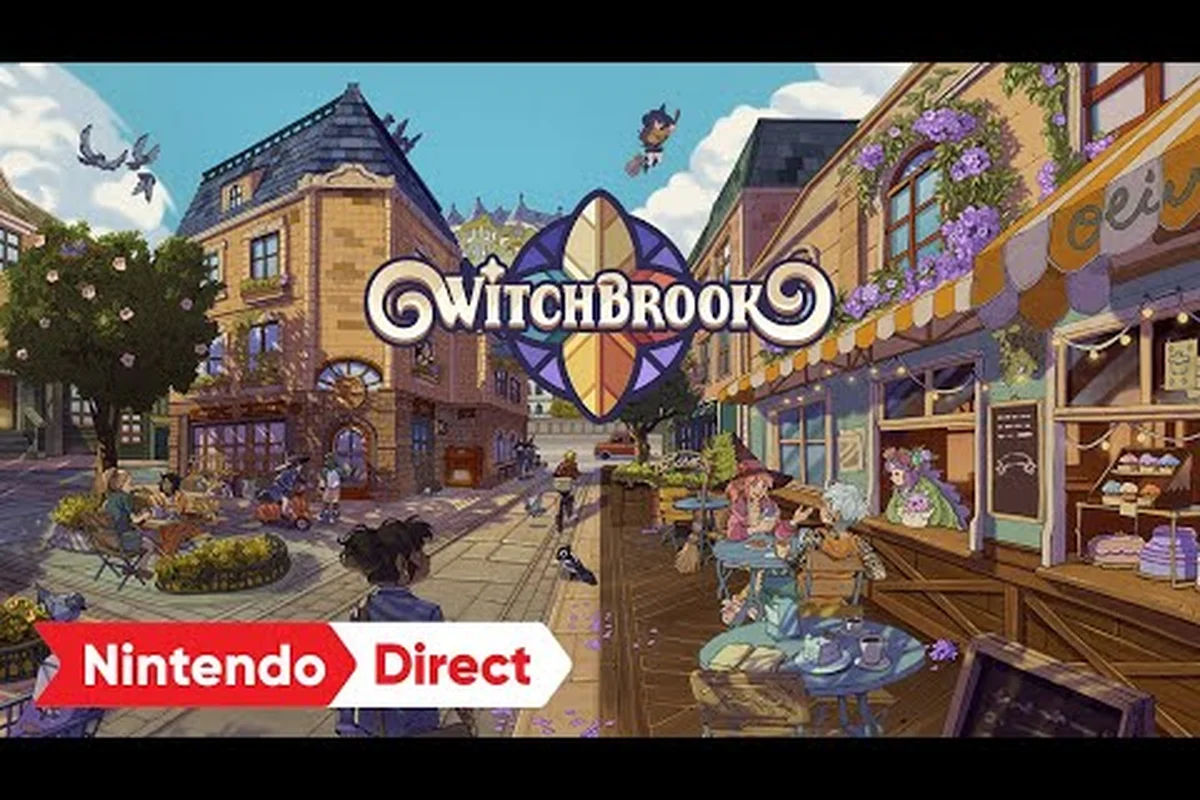
Witchbrook is built for up to four-player online co-op, and the fastest way to settle into Mossport is to enter a friend's session rather than wander the dorms alone. Knowing how to join a friend in Witchbrook shapes everything from your daily class schedule to which covenmate ends up at the altar, because a co-op world shares romance flags, cottage renovations, and broom-racing leaderboards across every player on the server. The official Witchbrook on Steam listing confirms the four-player cap, and the presskit describes online co-op as a launch-day pillar, which means hosting a session is not a side feature but a core way to play. Get the setup wrong and you risk save conflicts, soft-locked heart events, or a broom race where only one of you actually crosses the finish line.
Hosting and Joining a Witchbrook Co-Op World
The hosting flow starts from the title screen and runs through your platform's friends list, but the underlying save model is what decides who actually owns the world. Chucklefish and Robotality designed sessions around the idea that one player runs the persistent town while the others visit as guests, so picking the host role matters more than it looks. Once you understand that layer, the menus stop feeling like a maze and start feeling like a routine.
How to Host a Witchbrook World
When you host a Witchbrook game, your character becomes the persistent host and your save file becomes the canonical world state. Every other player who joins is treated as a guest who lives inside your version of Mossport, which means furniture you bought from Harbour Home stays purchased, story flags you triggered stay triggered, and romance hearts you raised stay raised between sessions.
| Step | Action | What Happens Behind the Scenes |
|---|---|---|
| 1 | Press the Invite Friends button on the title screen | Game opens a platform overlay (Steam, Xbox, Nintendo Switch Online) |
| 2 | Choose Public, Friends Only, or Private | Sets join permissions for the session |
| 3 | Confirm Host World when prompted | Your save becomes the active server; guests load your world on join |
| 4 | Wait for the Coven Beacon to turn green | Signals all guests have finished loading your town |
| 5 | Resume from your last in-game day | The host calendar advances once every player has marked "ready" |
One quirk worth flagging: the host can toggle the world between Story Mode and Free Roam, and that flag does not transfer to guests the same way each time. If you switch modes mid-session, your co-op partners may have to rejoin from scratch, which is a common cause of "I lost my progress" panic reports in community threads.
Invite Flow To Enter a Friend's Game
Joining is the mirror image of hosting, but it comes with one critical decision: do you want to play as a visitor in your friend's town, or do you want to invite them back to your own world later? The default flow drops you into the host's world as a guest, which is the cleanest option for a first playthrough together. According to the official Witchbrook website presskit, up to four players can share a session, so even a small group fills out the coven quickly.
| Join Option | Best For | Save Impact |
|---|---|---|
| Quick Join via Invite | Casual play with one friend | No new save created; you log progress in the host's world |
| Create a Guest Profile | Long-term co-op runs | Generates a small guest profile attached to the host's world |
| Visit Then Leave | Trying co-op before committing | Nothing persists after you exit the session |
| Invite Friend to Your World | Roleswap runs | Friend sees your Mossport, your cottage, your NPC progress |
If you are testing the waters, a quick join is the lowest-risk path. The official Witchbrook Xbox store page lists Smart Delivery and cross-gen multiplayer, which means the same join flow works whether your friend is on Xbox One, Series S, or PC.
Sharing a Cottage and Managing Co-Op Romance
The two most emotionally loaded parts of co-op are shared cottage upgrades and rival romance flags, and they are wired together in a way the tutorials do not spell out. When four witches share a world, every romantic decision ripples across the coven, and every furniture decision affects how the other players experience the dorm common room, the Caffeina lounge, and the inherited two-storey cottage.
Sharing a Cottage in Co-Op
A shared Witchbrook cottage is a real thing in four-player worlds, and the dev blog on the Witchbrook Building a Home page confirms the inherited two-storey layout is fully co-op compatible. The way it works is each player still owns their own private bedroom on the second floor, but the ground floor, the garden, and the exterior decoration slots are pooled. The host's wallet pays for shared purchases, and the upgrade ledger shows every contributor.
| Decoration Slot | Owner | Who Can Edit |
|---|---|---|
| Private Bedroom | Individual player | Only the room's owner |
| Ground Floor Living Area | Host (with vote) | Anyone can propose a change; host confirms |
| Garden Beds and Beehives | Pooled fund | All players can plant; harvest is shared |
| Wallpaper and Flooring | Host choice | All players can suggest via the in-game planner |
| Outdoor Furniture (Wild Flower stock) | Pooled | Anyone with telekinesis can move placed items |
The Telekinesis spell is what makes shared decoration feel seamless, because it lets any guest redecorate without needing the host to grant permission. That said, the grid snap and wall placement tools still belong to the player who places the item first, so two witches trying to put a rug in the same spot will see one of them bounce back.
Romance Rivals and Heart Event Flags
The trickiest co-op conversation is rival romance in Witchbrook co-op, because eleven covenmates are datable, and four players chasing the same NPC will collide fast. According to the dev blog on Dating on Campus, relationships build through gifts, time, and story arcs, and every arc can run platonically. The game does not hard-block two players from pursuing the same romanceable NPC, but it does trigger a Rival Heart Event the first time a confession card is played while another player has at least six hearts with the same target.
| Scenario | Outcome | Recommended Fix |
|---|---|---|
| Two players romance different covenmates | Clean run, no conflict | None needed |
| Two players romance the same NPC, both under 4 hearts | Silent rivalry flag, no event | Pick a different target early |
| One player at 8+ hearts, second confesses | Rival Heart Event triggers, NPC picks one player | The losing player gets a consolation dialogue |
| All four chase the same NPC | Story soft-locks past chapter 3 | Server vote to reset NPC hearts |
| One player is Going Steady, second ignores NPC | No conflict, romance runs normally | Continue as planned |
The cleanest etiquette is to call your target in the coven chat before day five, because the heart meter climbs fastest during the first three in-game weeks. Players who wait until chapter 2 to pick usually find the popular NPCs already locked in. If you want a deeper rundown on the eleven romance options and confession cards, the dating on campus breakdown maps the named covenmates to their gift preferences and event windows.
Attending College Classes Together
Mossport is a school first, and Witchbrook multiplayer classes are how four players sync their mornings into something that feels like a real college life sim. The class schedule, exam calendar, and well-being meter all tick forward whether you are solo or co-op, but the multiplayer version has small differences that change how you plan a term.
How Co-Op Class Attendance Works
When four witches sit in the same classroom, the Faculty System still grades each student independently, but the seating chart and group-project bonuses are shared. The official presskit lists the academic arc as enrollment through graduation, and the dev blogs confirm exams are per-player, so even if your friend bombs Alchemy, your own grade stays untouched. Community testing reported by players suggests that group attendance gives a small +5% bonus to the exam score of the lowest-performing member of the party, which is a nice quality-of-life cushion for new players.
| Class Type | Solo Behavior | Co-Op Behavior |
|---|---|---|
| Lecture Hall Lessons | Independent grade | +5% bonus for lowest scorer if all four attend |
| Practical Lab (Brewing, Foraging) | One player at a time | Two-player stations unlock, doubling output |
| Field Trips (Shadhollow, Parasol Sands) | Solo run | Shared map, but each player gets their own forage rolls |
| Exams | One attempt per term | Independent attempts; leaderboard compares the four |
If you want to plan a term around the academic calendar and which classes reward group play most, the beginner guide for Witchbrook walks through the first-week class picks and how to set up a routine that survives multiplayer chaos.
Practical Class Coordination Tips
The single biggest mistake new co-op covens make is treating classes like a single-player checklist. Four players all trying to attend the 9 a.m. Alchemy lecture will crowd the door and sometimes desync the seating chart, which forces a server-side reset. Spreading out is the move: one player covers morning lectures, another handles the practical labs, and the rest free-roam or run the Witch Shop production line.
| Tip | Why It Helps |
|---|---|
| Assign a Class Captain for the week | One player tracks exam dates and well-being meters for the whole coven |
| Rotate the Field Trip slot | Each player gets a chance at the rare forage nodes |
| Use the Spell Practice dummy outside class | Guest players can grind Casting Economy without using a class slot |
| Share the Sunday Market foraging haul | Pooling the high-tier ingredients funds everyone's next term |
| Check Birthday Calendars weekly | NPCs react strongly to gifts on their birthday, and a missed date tanks the heart meter |
The community-recommended rhythm is two classes per in-game day per player, which leaves room for two hours of foraging, one spell practice session, and a dorm hangout. Anything more aggressive tends to drain the well-being meter and trigger the Burnout debuff, which the game shows as a small flame icon above the player's head.
Racing Brooms and Co-Op Mini-Games
The Witchbrook broom racing multiplayer mode is the first thing most friends test when they finally get a session running, and for good reason: it is fast, it is funny, and it does not require any of the slow-burn romance or grinding that the rest of the game does. Racing is also one of the cleanest co-op experiences because the leaderboards are per-session and do not carry between worlds.
Setting Up a Broom Race
Races unlock after the Broom License practical, which the Witchbrook arcade and high-score guide maps out as a mid-term goal in the first academic year. Once every player in the coven has a broom, the race kiosk in Parasol Sands opens up, and the host can pick from several track layouts. The default race is a three-lap sprint, but longer endurance events and relay formats unlock as the coven levels up its Broom Club reputation.
| Race Format | Player Count | Reward |
|---|---|---|
| Sprint (3 laps) | 2-4 | Cosmetic broom trim, small cash prize |
| Endurance (7 laps) | 2-4 | Broom Club XP, weekly leaderboard spot |
| Relay (4x2 laps) | Exactly 4 | Rare broom charm, coven-wide reputation boost |
| Time Trial | Solo practice | Personal best, no multiplayer reward |
| Coven Cup (tournament) | 4 vs AI covens | Title item "Coven Champion", trophy for shared cottage |
One of the underrated features of broom racing is that the Casting Distance stat from your equipped broom actually changes the race length, so a player with a longer-range broom has a real edge in tight corners. Community testing reported by players suggests that the Stormrider broom (unlocked via the Sunday Market after week 8) is the best mid-game option, because it trades a small amount of top speed for much better handling.
Why Racing Is the Best Co-Op Stress Test
Beyond the fun factor, racing is a great diagnostic tool for a new co-op world. If four players can finish a sprint race without any desyncs, dropped frames, or invite glitches, the session is generally stable enough for longer play. The race kiosk also has a built-in latency readout that shows each player's ping to the host, which is useful for diagnosing whether a problem is local network or upstream.
| Signal | Meaning |
|---|---|
| Green ping (<50ms) | Smooth co-op expected |
| Yellow ping (50-100ms) | Minor input delay, mostly cosmetic |
| Red ping (100ms+) | Frequent desyncs, consider switching host |
| Dropout mid-race | Session is unstable; everyone should rejoin |
| "Coven Beacon" turns red | Host migration triggered; progress saved to host's file |
If you see the beacon turn red, do not panic. The game auto-saves every ten minutes and the host migration system hands control to the lowest-ping guest, which means a dropout rarely loses more than a few minutes of progress. Just make sure the new host has cross-play enabled if the original host was on a different platform.
Troubleshooting and Day-One Co-Op Prep
The difference between a smooth launch and a frustrating first night usually comes down to a handful of pre-flight checks. The official store pages and dev blogs both stress that Witchbrook's multiplayer was designed for couch-and-cross-platform play, but the launch-day experience still benefits from a small checklist. The Witchbrook playing together guide covers the shared town mechanics in detail if you want the broader picture.
Pre-Session Checklist
Before the first coven sits down together, run through this list. It takes about ten minutes and saves hours of troubleshooting later.
| Check | What to Confirm |
|---|---|
| Platform accounts linked | Steam friends, Xbox Live gamertags, Nintendo Switch Online friend codes all current |
| Game version matches | All four players on the same patch version; mismatches block cross-play |
| Cross-Play toggle | Enabled in settings; some platforms default to "same-console only" |
| NAT type | Open NAT for all players; strict or moderate NAT causes join failures |
| Voice chat | Platform party chat or Discord open and tested |
| Time zone | Not strictly required, but helps align class schedules for real-time group play |
| Save backup | Host's cloud save is current; guests do not need a backup since they do not own the world |
| Coven name | Picked ahead of time; the in-game naming screen has a 16-character cap |
Common Day-One Issues and Fixes
Even with prep, a few issues show up often enough to be worth documenting. Community reports on social platforms suggest the most common first-night complaints are invite errors, save conflicts, and one player stuck on a black loading screen after the Coven Beacon flips green.
| Problem | Likely Cause | Fix |
|---|---|---|
| Invite not received | Cross-play disabled, or friend is on a different region server | Enable cross-play; switch to the same region |
| "World is full" error | A third party joined as a public guest | Set the session to Friends Only |
| Black screen on join | Stale shader cache, especially on Switch | Restart the game; clear local cache if available |
| Save conflict warning | Two players trying to host at once | One player bows out and joins the other |
| Heart events desyncing | A guest left during a cutscene | Rejoin and replay the trigger; the game re-syncs within one in-game hour |
| Broom race not unlocking | A guest has not passed the Broom License | The host can run races solo, or everyone grinds the license first |
If you hit a bug that does not match any of these, the Witchbrook on Steam community hub is the most active place to report it, and the developers have a public roadmap for post-launch patches. The first major update is widely expected to focus on cross-play stability, based on the cadence of Chucklefish's previous launches.
Frequently Asked Questions
How many players can join a Witchbrook world?
Witchbrook supports up to four players in a single online co-op session, according to the official presskit and the Steam store page. The cap is enforced on the host's side, and the session will not let a fifth player join even if cross-play is enabled.
Can I romance the same covenmate as my friend?
Yes, but the game will trigger a Rival Heart Event the first time a confession card is played while another player has at least six hearts with the same target. The NPC picks one player, and the other gets a consolation dialogue. Calling your target in coven chat before day five avoids the conflict entirely.
Does the host control the in-game time?
Mostly. The host's calendar advances the in-game day once every player has marked "ready" at the end of a session, and time of day shifts normally during co-op play. Guests cannot pause or fast-forward the clock on their own, but they can leave the session at any point.
What happens to my progress if the host leaves?
The world is saved to the host's file, so guests do not keep any persistent progress when they exit. If the host drops mid-session, the game attempts host migration to the lowest-ping guest, but anything not yet auto-saved (the game saves every ten minutes) is lost for the dropped window.
Can we share a cottage in co-op?
Yes. The inherited two-storey cottage is fully co-op compatible, with private bedrooms upstairs and pooled ground-floor, garden, and exterior decoration slots. The host's wallet pays for shared purchases, and any player with the Telekinesis spell can rearrange placed furniture in real time.