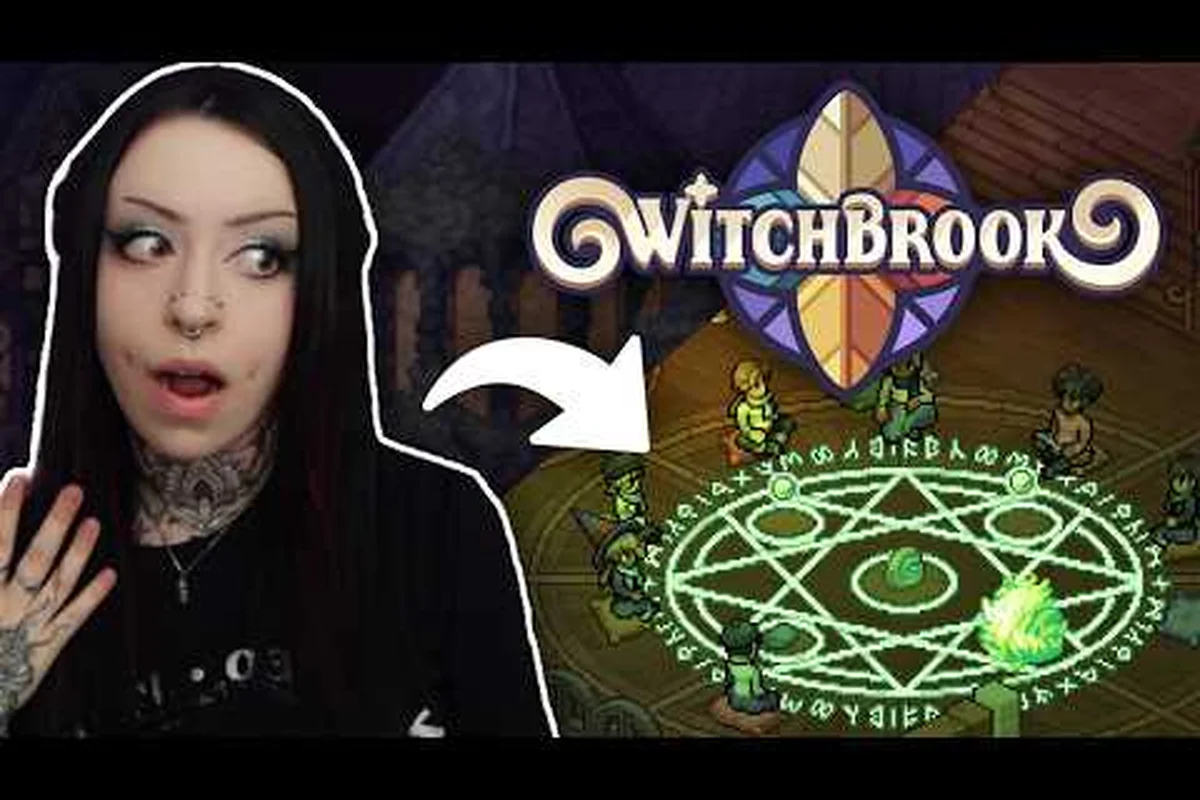
Mossport is the heart of Witchbrook, and up to four real players can live in that seaside town at the same time. This shared town guide breaks down the co-op experience: what the world actually contains, who can join, which platforms have it, and how to spin up a private server for a quiet night in. The information below is built from the official presskit factsheet, the Steam store listing, and the Xbox Store page cross-referenced against dev blog posts, so the numbers reflect the 2026 release window as confirmed by Chucklefish and Robotality.
What the Shared Town Actually Is
The shared town in Witchbrook is not a parallel instance and not a lobby you drop into for one activity. It is the full Mossport open world, hosted by one player, that up to three friends can join online. According to the Witchbrook presskit factsheet, the game supports up to 4-player online co-op across every platform that has a confirmed listing. The Xbox Store description mirrors that ceiling with explicit "online co-op (2-4) and online multiplayer (2-4)" text, which means both small duos and full four-witch covens are first-class configurations, not edge cases.
The Four-Witch Coven
The number four is not arbitrary. Every system in Mossport is tuned for a coven of that size, from the dorm layout in Witchbrook College to the seating at the Sunday market and the maximum party size for broom-racing brackets. When you read the Witchbrook on Steam listing, the gameplay summary calls out that the game is "for up to four players," and the matchmaking tags reinforce it: Life Sim, Dating Sim, Online Co-op, and Shared/Split Screen Co-op. The shared/split screen tag is significant because it tells you that the developers expected couch and online sessions to coexist on the same device where the platform permits it.
| Shared Town Element | Player Capacity | Source |
|---|---|---|
| Mossport open world | 4 simultaneous players | Presskit factsheet |
| Online co-op sessions | 2-4 players | Xbox Store page |
| Sunday market stall rotation | 1 stall per player, 4 max | Dev blog: Building a Home |
| Cottage renovation | Each witch owns a cottage | Dev blog: Building a Home |
| Romance arcs | Independent per player | Dev blog: Dating on Campus |
Cottage, Dorm, and Town Spaces
Mossport is divided into roughly three layers that all support multiplayer. The first layer is your personal cottage, inherited from a late aunt and built out across two storeys, which only you and your invited coven can enter. The second layer is the shared dorm and college grounds at Witchbrook College, which every joined player can walk through during school days. The third layer is the open town — Docklands, Market Street, the cliffs, and the forest edge — which is where you will run into other players most often. Harbour Home, the in-town furniture store, restocks daily with rotating colourways, so what you find on Monday may be gone by Thursday, and the same is true for Wild Flower, the garden shop. That rotation is per server, meaning each private town has its own economy clock.
Online Play Requirements
The Witchbrook online play requirements are deliberately modest because the game is a 2D life-sim, not a twitch shooter. Still, every confirmed platform has the same baseline: a stable broadband connection, a Chucklefish or platform account, and an active subscription where the platform gates online play behind one.
| Platform | Account Needed | Online Subscription | Voice Chat Built-In |
|---|---|---|---|
| PC (Steam) | Steam account | None | No (third-party required) |
| Nintendo Switch | Nintendo Account | Nintendo Switch Online | Yes (via NSO app or system) |
| Nintendo Switch 2 | Nintendo Account | Nintendo Switch Online | Yes |
| Xbox One / Series X\ | S | Xbox account | Xbox Live Gold / Game Pass Ultimate |
Connection and Bandwidth
The presskit describes the network model as standard peer-hosted online co-op, which means one player acts as the host and the other three connect as clients. The host carries the simulation load, and the game is forgiving enough to remain playable on asymmetric connections, though the developers recommend at least 10 Mbps upload on the host side for a clean four-witch session. The game does not require crossplay to be active for two-player splits, so a Switch player can drop out mid-session without corrupting the shared town save.
Account Region and Save Sync
Each player keeps their own save on their own platform account, but the shared town state (NPC schedules, weather, market inventory, festival progress) lives in the host's session. If the host closes the game, the guests return to their solo Mossport the next time they boot up, and any coven-specific progress is parked on the host. This is why the developers describe the experience as "coven-based" rather than "world-shared" — your cottage and your relationship arcs are yours, but the town itself is whoever's town you are visiting that day.
Multiplayer Confirmed Platforms
Witchbrook multiplayer confirmed platforms are the four boxes the presskit calls out explicitly: PC via Steam, Nintendo Switch, Nintendo Switch 2, and the Xbox family. There is no PlayStation listing as of the September 2026 factsheet refresh, and there is no mobile port. Cross-platform play is confirmed on Xbox, where the store page lists "Xbox cross-platform multiplayer and cross-platform co-op," so an Xbox One witch can quest with someone on a Series X without friction.
| Platform | Confirmed Multiplayer | Crossplay | Resolution Support |
|---|---|---|---|
| Steam (PC) | Yes (2-4 online) | No native crossplay | Up to 4K |
| Nintendo Switch | Yes (2-4 online) | No native crossplay | 1080p docked |
| Nintendo Switch 2 | Yes (2-4 online) | No native crossplay | Up to 4K |
| Xbox One | Yes (2-4 online) | Yes with Xbox Series | 1080p |
| Xbox Series X\ | S | Yes (2-4 online) | Yes with Xbox One |
Cross-Platform Reality
Crossplay between PC and console is not currently listed in the presskit, so a Steam witch cannot drop into an Xbox coven and vice versa. The Xbox Store page is explicit that "Xbox cross-platform multiplayer" refers to the two console generations sharing sessions, not to PC joining the same lobby. If a developer blog or patch note later opens Steam-to-Xbox play, it will show up in the presskit first, so check that page before buying a copy on a second platform expecting seamless cross-coven play. Players who want the closest thing to true crossplay today should anchor their coven on a single platform family.
Setting Up a Private Server
A Witchbrook private server is what the game calls a host-only session, and it is the right tool for covens that want to control who enters Mossport. There is no rented dedicated-server binary in the 2026 release; instead, one player hosts from their own copy of the game, and the other three join through a friend code or platform invite.
Hosting a Private Session
To host, the host player opens Witchbrook, loads into Mossport solo, and selects "Invite to Coven" from the pause menu. The game generates a platform-native invite, which on Steam appears as a normal Steam friend invite and on Xbox surfaces through the Xbox Live party system. Once the first guest joins, the host can flip the lobby to "Invite Only," which closes the door to random matchmaking. The host's town now runs on the host's save, and the host's NPC schedules seed the shared town economy.
Shared Progress Rules When You Visit Another Town
The Witchbrook join a friend's world flow is symmetrical. Open the friends list on your platform, see who is currently in Mossport, and request to join. The host receives a prompt, accepts, and the guest is dropped into the host's Mossport near the college gates. Joining mid-day works cleanly because the town clock is paused for the loading transition, so you do not miss a class or a market rotation. If the host is offline, the guest cannot enter that specific town and instead returns to their own Mossport the next time they launch.
Troubleshooting Common Issues
Three things go wrong most often during the first few co-op sessions. First, guests appear stuck in the dorm because the host's cottage permissions are still set to private; toggling the cottage to "Coven Only" fixes it. Second, market stock looks different between players, which usually means one of them is in a solo instance by accident; have everyone back out to the title and rejoin. Third, the host's connection drops and guests are kicked; the game does not transfer host, so the coven must decide on a backup host before resuming. Players who want extra detail on session hosting and party system options can read the Witchbrook multiplayer release overview for the broader online feature set.
Playing Together in Mossport
A Witchbrook 4 witches guide would not be complete without a playbook for what to actually do once everyone is online. The game is a life sim, not a raid, so the activities that benefit from a full coven are the social ones: coven competitions, shared rituals, and the small moments between classes.
Coven Competitions and Sunday Market
Coven competitions are scored events where the coven's collective output is ranked against rival covens from other hosted towns. Splitting roles across four players — one brews potions, one forages, one handles spellcraft, one manages market stalls — is the most efficient pattern, and the Sunday market is the natural coordination point because all four stalls need staffing simultaneously. The market rotates inventory daily, and the presskit confirms that each stall's earnings roll back into the host's shared town economy, so coven-mates who stock smart pulls can fund cottage renovations for the whole group.
Classes, Exams, and Stargazing
Witchbrook College runs on a class-and-exam cadence, and multiplayer is genuinely useful here because the coven can split up to cover different lectures on the same in-game day. Each player attends the class their schedule calls for, and the coven compares notes at the dorm. Stargazing on the cliffs is the one activity that benefits from everyone being in the same place, because the game awards a small friendship bonus to coven-mates who stargaze at the same time on the same night, according to the Dating on Campus dev blog. Romance arcs, by contrast, are private: the eleven confirmed romanceable covenmates respond only to the player who has been spending time with them, so trying to share a date usually just confuses the NPC schedule.
Broom Racing and Arcades
Broom racing brackets are capped at four entries, which means a full coven fills the bracket and skips the qualifier rounds. The arcade in Mossport tracks high scores per machine, and a coven that hammers the same cabinet together will trade the top spot back and forth across sessions. None of these activities are locked behind multiplayer-only progression, so a solo player can do all of them, but the coven layer adds a leaderboard that the developers built specifically for the four-witch ceiling.
Private Server Etiquette and Save Boundaries
Because the shared town state lives on the host's save, there is a small etiquette layer that experienced covens adopt. First, the host decides the in-game season's theme because seasonal events anchor to the host's calendar. Second, the host controls who can buy from Harbour Home and Wild Flower, so a coven that wants to avoid one player buying out the rotating stock should agree on a turn order. Third, romance rivals are per-player, but the host's NPC cast still reacts to all four witches, so the dating pace of one player can subtly shift dialogue for everyone else.
| Etiquette Rule | Why It Matters | Source |
|---|---|---|
| Confirm host before each session | Host's save is the shared town | Presskit factsheet |
| Set cottage to "Coven Only" | Prevents solo-only access | Dev blog: Building a Home |
| Agree on market turn order | Stock is per-server, per-day | Dev blog: Building a Home |
| Romance privately | NPC schedules are per-player | Dev blog: Dating on Campus |
| Pick a backup host | No host transfer if host drops | Presskit factsheet |
Save Data and Host Hopping
When a coven wants to change hosts, the simplest method is for the new host to start their own Mossport, decorate it, and invite the group. There is no in-game server migration tool, so the coven should think of host swaps as a fresh start, not a port. The previous host's town remains intact on their own save, which means a coven can effectively run two shared towns in rotation if the schedule calls for it. Players who are still deciding whether co-op is the right way to play should also browse the Witchbrook does it have co-op explainer for a quick summary of the multiplayer philosophy.
When to Play Solo vs. With Friends
Witchbrook is built so that solo and co-op never lock each other out, and the game encourages players to mix modes across a single playthrough. Solo play is the right call for focused progression through college, grinding relationship arcs with a single romanceable covenmate, and exploring the cliffside forest at your own pace. Co-op is the right call for coven competitions, the Sunday market rush, broom racing brackets, and the small stargazing bonus.
| Play Mode | Best For | Coven Size |
|---|---|---|
| Solo | College progression, single romance arc | 1 |
| Duo | Shared cottage chores, paired stargazing | 2 |
| Full coven | Competitions, market rush, broom racing | 3-4 |
A practical rhythm that experienced covens use is two or three co-op sessions per in-game week, with solo play on the off-days. This keeps the shared town economy moving without burning out on social coordination. New players who are still learning the basics can ease in with a duo first, then scale up once they understand the host mechanics, and the broader Witchbrook beginner guide covers the first-day skills that make any co-op session smoother.
Frequently Asked Questions
How many players can live in the shared town at once?
Up to four players can share a single Mossport at the same time, including the host. The cap is set by the developers at Chucklefish and Robotality, and it is consistent across every confirmed platform in the 2026 release window.
What are the online play requirements for Witchbrook?
You need a stable broadband connection with at least 10 Mbps upload on the host side, an account on the platform you play on, and an active subscription where the platform requires one (Nintendo Switch Online for Switch families, Xbox Live Gold or Game Pass Ultimate for Xbox). PC via Steam does not require an extra subscription.
Which platforms have confirmed multiplayer?
The four confirmed platforms are PC (Steam), Nintendo Switch, Nintendo Switch 2, and the Xbox family (Xbox One and Xbox Series X|S). Crossplay is enabled within the Xbox family but not between PC and console.
Can I run a private server with just my friends?
Yes. The host selects "Invite to Coven" from the pause menu, sends platform invites to friends, and sets the lobby to "Invite Only" once everyone has joined. There is no rented dedicated server option; the host's own machine and connection run the shared town.
Do romance and dating work differently in co-op?
Romance arcs remain per-player, and the eleven confirmed romanceable covenmates respond to the witch who has been spending time with them. Other players in the coven will see the NPC's schedule react, but they cannot push someone else's relationship forward on their behalf.