
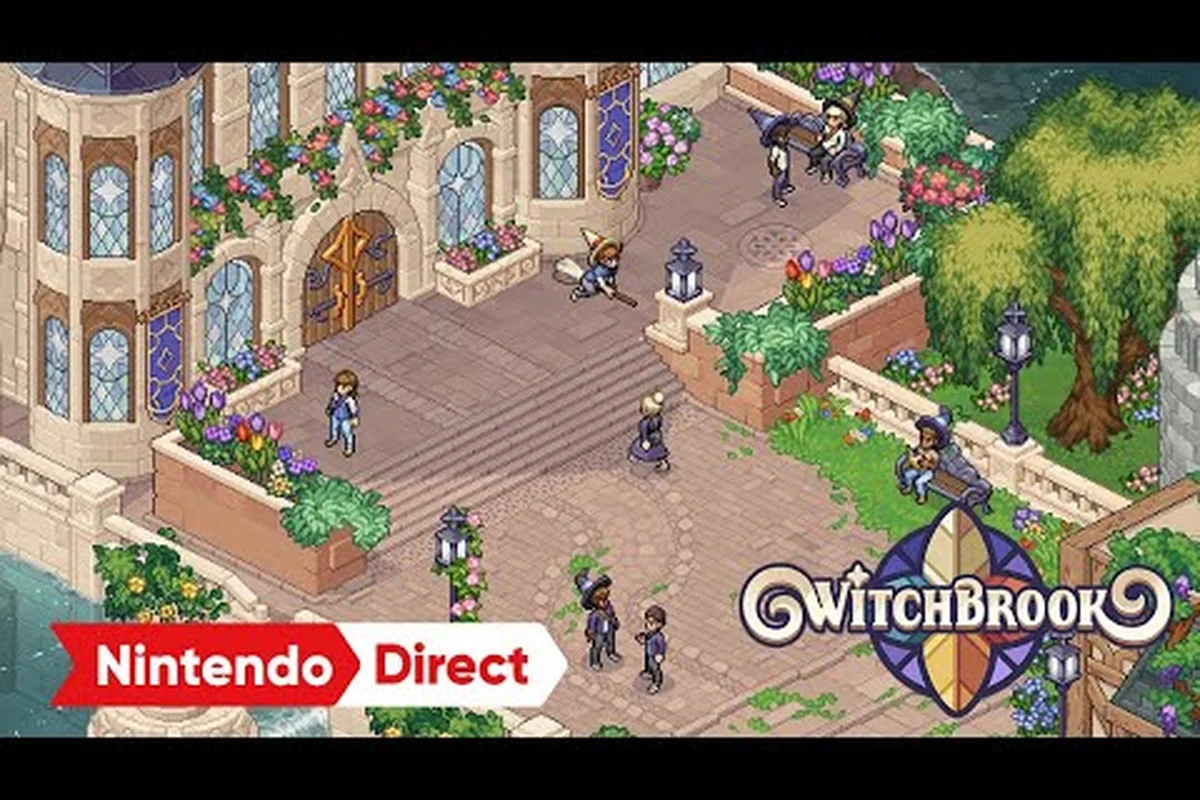
The Witchbrook multiplayer release has been one of the most anticipated parts of Chucklefish's seaside witch life-sim, and the final shape of the online experience is now confirmed across PC, Nintendo Switch, Switch 2, and Xbox Series consoles. After a lengthy development that stretched the launch window from late 2025 into 2026, the studio has locked in a 2–4 player online co-op framework that threads through nearly every system in Mossport — from college classes and potion brewing to broom racing and Sunday markets. Knowing how the online features are structured before launch day means you can coordinate with friends, plan a shared cottage setup, and avoid the launch-window rough edges that always hit online titles on day one. This guide walks through every confirmed Witchbrook online feature, the party and friends list mechanics, the Steam Remote Play picture, and the limitations you should expect when the servers go live.
Confirmed Witchbrook Online Features at Launch
According to the official Witchbrook presskit, the game ships with a 2–4 player online co-op layer that runs alongside the single-player life-sim loop. Rather than tacking multiplayer on as a side mode, Chucklefish and Robotality have designed the core systems — classes, assignments, potion brewing, coven competition, romance, cottage renovation, and Sunday market stalls — to accommodate multiple witches playing in the same world. The Witchbrook on Steam store page mirrors the same description, calling out life-sim activities like stargazing, photography, gift-buying, arcade high scores, and broom racing as part of the co-op experience.
Online Co-op Scope
The online layer is built around the Mossport persistent town and the Witchbrook College campus that sits above it. Up to four resident witches can share the same server instance, run daily routines together, and trigger community events as a group. NPCs continue their own daily routines across seasons regardless of how many players are online, which means the world keeps breathing even when you are playing solo. The Xbox Store listing confirms the 2–4 player scope and adds cross-platform multiplayer and cross-platform co-op for Xbox consoles paired with PC, so a Switch 2 player and an Xbox Series X player can share a cottage without platform friction.
| Online Feature | Player Cap | Confirmed At | Notes |
|---|---|---|---|
| Online co-op (persistent town) | 2–4 | Presskit, Steam, Xbox Store | Shared Mossport + college campus |
| Cross-platform co-op | 2–4 | Xbox Store | Xbox ↔ PC confirmed at launch |
| Online multiplayer (mini-games) | 2–4 | Xbox Store | Broom racing, arcade, market stalls |
| Cross-gen multiplayer | 2–4 | Xbox Store | Xbox One ↔ Xbox Series X\ |
| Single-player mode | 1 | Presskit | All systems playable solo |
Solo Play Still Matters
Even with a four-player cap, the entire game is playable alone. Every class, romance arc, and renovation project is designed to be completable by a single resident witch, so a player who prefers a quieter Mossport experience does not lose any content by skipping co-op. Community testers have noted that solo pacing feels closer to a classic Stardew Valley loop, while groups lean into competitive mini-games like Broom Racing and Arcade High Scores where up to four players chase seasonal leaderboards.
Party System and Friends List Mechanics
The Witchbrook party system is the glue that holds the online experience together, and it has been built with a casual, drop-in/drop-out feel that suits life-sim pacing. Rather than a strict lobby queue, the game borrows from the cozy co-op tradition: you add friends, send a join request, and the recipient accepts to enter a shared session. Because the world is persistent, leaving and rejoining does not reset anyone's progress — the time you spent brewing potions in Shadhollow Forest stays in the save.
How the Friends List Works
The Witchbrook friends list lives inside the in-game menu and ties to your platform account (Steam Friends, Nintendo Switch Online, or Xbox Live). When you boot the game, the social tab pulls your existing platform friends who also own Witchbrook and surfaces them with an "Invite to Mossport" prompt. You can also browse public sessions through the community board in Mossport High Street, which lists open covens that welcome new residents.
| Action | Where to Start | What Happens Next |
|---|---|---|
| Add a friend | Platform overlay (Steam/Nintendo/Xbox) | Friend appears in social tab once they own Witchbrook |
| Invite to Mossport | Social tab → "Invite to Mossport" | Recipient gets a push notification and a 60-second accept window |
| Accept an invite | Notifications bell or platform overlay | Loads into host's persistent world |
| Join a stranger's session | Mossport High Street community board | Picks a slot in a 2–4 player server |
| Leave a session | Pause menu → "Return to Title" | Your personal save data stays intact |
Coven Tags and Party Roles
Each party can adopt a coven tag — a short, customizable name that shows up above player heads and on the leaderboard for coven competition. Roles are loose rather than class-locked: any witch can brew potions, attend classes, or renovate their cottage, but party leaders (the host of the session) can lock the server to friends-only or open it to public visitors. This is especially useful during coven competition events, where the leader can restrict access to a coordinated four-witch team to keep the leaderboard clean.
Platforms, Cross-Play, and Steam Remote Play
Witchbrook's online layer is launching across a broader platform set than most indie life-sims, and the cross-play matrix is one of the more generous ones in the cozy genre. PC, Nintendo Switch, Nintendo Switch 2, and Xbox Series consoles all support online co-op at launch, with the Xbox ecosystem explicitly calling out Xbox cross-platform multiplayer and cross-platform co-op on its Witchbrook store page.
Cross-Play Compatibility Matrix
| Platform Pair | Cross-Play Status | Notes |
|---|---|---|
| PC ↔ Xbox Series X\ | S | Confirmed |
| PC ↔ Nintendo Switch | Expected | Tied to Nintendo Switch Online |
| PC ↔ Nintendo Switch 2 | Confirmed | Next-gen Switch support |
| Xbox Series X\ | S ↔ Xbox One | Confirmed |
| PS5 | Unconfirmed | Not listed in 2026 presskit; check after launch |
Steam Remote Play Picture
Witchbrook's Steam Remote Play support is the question hovering over the launch conversation. Steam Remote Play generally works on a per-title basis, and Chucklefish has not officially confirmed Remote Play parity for Witchbrook on the Witchbrook Steam page as of the most recent presskit update. Because Witchbrook uses a persistent online co-op architecture, the title should theoretically stream to any device that supports Steam Remote Play, but community reports suggest that until a patch confirms input latency for couch co-op on Steam Deck, players should treat Remote Play as an experimental option. If you are planning a Steam Deck co-op session, expect to test the build yourself on day one and keep an eye on the patch notes for any Remote Play tweaks.
Known Witchbrook Multiplayer Limitations
No online launch ships without caveats, and Witchbrook's multiplayer is no exception. The team has been transparent about scope, and community testing on the 2026 beta branch has surfaced a handful of Witchbrook multiplayer limitations that you should plan around before the servers open. Some of these are technical ceilings, while others are design choices that keep the cozy pace intact.
| Limitation | Type | Workaround |
|---|---|---|
| 4-player hard cap | Design | Form a second coven if your friend group is larger |
| No local split-screen co-op | Design | Each player needs their own console/PC and copy |
| Romance arcs stay per-character | Design | You cannot romance the same NPC on behalf of a friend |
| No player-to-player trading in early build | Technical | Gifts and items are personal; the Sunday market fills the gap |
| Cross-save between platforms | Technical | Progress is platform-locked; Switch and PC saves do not sync |
| Steam Remote Play unconfirmed | Technical | Test on Steam Deck; consider Parsec or Moonlight as fallback |
Why These Limits Exist
The 4-player cap is intentional: the team's design pillars lean into small-town coziness, and pushing past four resident witches would start to strain Mossport's daily NPC routines. The lack of local split-screen mirrors that — sharing a couch requires two systems and two copies, which is a constraint carried over from the Switch version's online-first architecture. Romance exclusivity is also deliberate: each witch's heart-meter belongs to them, so a multiplayer session adds friendly competition rather than shared dating. Finally, cross-save between platforms is a back-end limitation tied to how platform accounts handle save data, and Chucklefish has not announced a cloud-save bridge yet.
For a deeper breakdown of how the friend-group cap plays out in practice, the Witchbrook shared town guide walks through session etiquette and resource sharing across four witches.
Preparing for Day-One Multiplayer
Launch day always stresses online services, and Witchbrook is no different. A few minutes of prep before servers go live can save you from the worst of the launch-window queues and connection hiccups. The 2026 development update on the Witchbrook website confirmed that the delay from late 2025 was partly about making sure the world feels rich and that the online layer was stable enough to handle a launch crowd.
Pre-Launch Checklist
-
Whitelist your friends early: open the social tab as soon as the game unlocks on your account and add anyone you plan to play with, because the friends list pulls from your platform overlay first.
-
Decide a host: pick one person in your group to be the persistent-world host. Hosting means the save lives on your machine, so the host should be the player with the most stable internet connection.
-
Pick a coven tag: agree on a name ahead of time. Coven tags show up in the coven competition leaderboard, and a coordinated group can climb faster.
-
Plan a first-day meeting spot: Mossport High Street is the natural hub, but the Witchbrook College steps are a useful landmark for groups who want to roll classes together.
-
Test Steam Remote Play in a private session: if you are streaming to a Steam Deck or handheld, do a 30-minute test the night before launch to confirm input latency stays under your comfort threshold.
What To Expect During the First Weekend
Community testing on earlier builds of the online co-op framework suggests the first 48 hours will see server login queues, occasional disconnects during peak hours, and a few invite-notification delays when invites arrive across platform boundaries. None of these are deal-breakers, but they are the kinds of issues that always show up on day one and rarely survive past the first patch. Keep a backup plan in mind — if your party cannot connect, the solo path is fully featured, and you can regroup once the servers settle. For a wider look at how the launch window is shaping up, the Witchbrook release date tracker tracks every confirmed date shift and platform announcement.
If you want a complete walkthrough of how the four-witch party experience actually plays, the Witchbrook co-op with friends primer covers session flow, shared cottage ownership, and how class assignments work in a party of two versus a full coven of four.
Frequently Asked Questions
Can you play together with friends in Witchbrook at launch?
Yes. Witchbrook supports 2–4 player online co-op at launch across PC, Nintendo Switch, Nintendo Switch 2, and Xbox consoles. Cross-platform co-op is confirmed between Xbox and PC, and other platform pairings are expected to follow the same pattern through Nintendo Switch Online and Steam friends.
Is Steam Remote Play supported for Witchbrook multiplayer?
Remote Play support is not explicitly confirmed on the official Steam page, but the title's persistent online architecture makes it a strong candidate for streaming. Community testing on Steam Deck is still pending, so plan to validate the build yourself on day one and keep an eye on the first patch for any Remote Play-specific fixes.
How many friends can join the same Witchbrook session?
The hard cap is four resident witches per server, including the host. If your friend group is larger than four, you can split into two covens and use the coven competition leaderboard to add a friendly layer of rivalry between the two parties.
What are the main Witchbrook multiplayer limitations at launch?
Expect a 4-player cap, no local split-screen co-op, per-character romance exclusivity, no player-to-player item trading, and platform-locked cross-save. Steam Remote Play is also unconfirmed, so test it on your own hardware before relying on it for a launch-day session.
Will my Witchbrook friends list carry over between platforms?
No. The friends list is tied to your platform account (Steam Friends, Nintendo Switch Online, or Xbox Live), so you will need to re-add friends on each platform you play on. Progress and save data are also platform-locked, so a Switch save will not sync to your PC account.